
QR & Digital Wallets
Overview
Besides cards, Rewardly supports QR-based payments — most importantly PayNow in Singapore — where the customer scans a code with their banking app to pay.
The two PayNow options
| Option | How it works | Who sets it up |
|---|---|---|
| PayNow (automatic) | The POS generates a dynamic PayNow QR; the payment is matched and confirmed automatically. | The Rewardly team (needs bank credentials). |
| Manual PayNow | You use your own PayNow QR; the cashier matches the incoming bank transfer to the order by hand. | You — add it yourself. |
There is also DCS Wallet as a digital-wallet tender (see Card & Terminal Payments).
How it works
- For automatic PayNow, the POS shows a QR with the exact amount; the customer scans and pays, and the POS confirms the payment on its own. The QR can be pushed to a customer-facing second display.
- For Manual PayNow, the customer pays your static QR; the cashier then picks the matching bank transfer and records it against the order.
Default setup
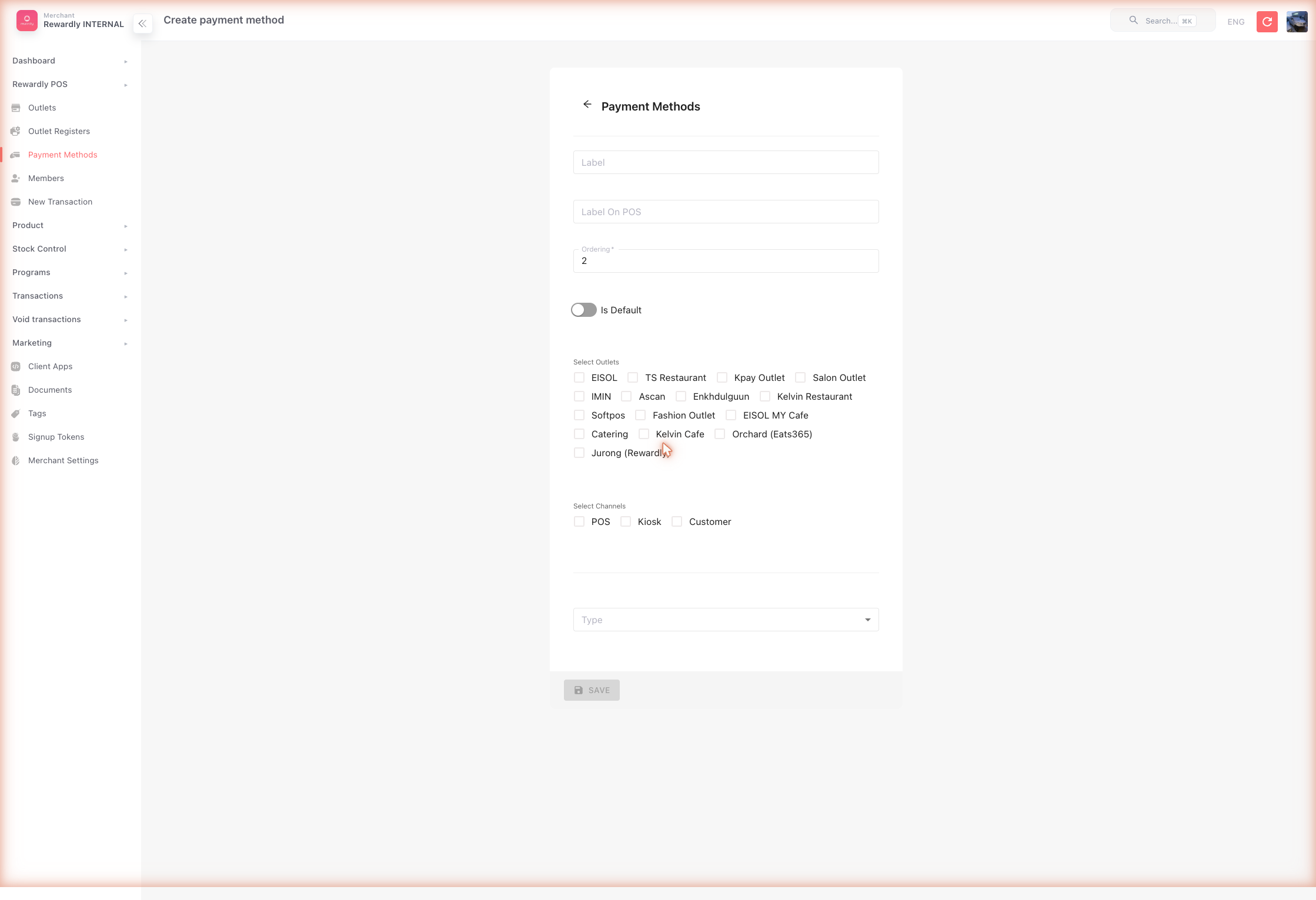
The simplest QR option you can enable yourself is Manual PayNow.
- Open Payment Methods and click Create.
- Set a Label (e.g.
PayNow), choose the TypeManual PayNow, tick the POS channel, and set an Order number. - Save.
For automatic PayNow, contact Rewardly support to connect it — it needs bank proxy and organisation details.
Advanced options
| Topic | Detail |
|---|---|
| Automatic PayNow | Set up by Rewardly with your PayNow proxy (UEN) and bank organisation ID. |
| Second-display QR | The PayNow QR can be mirrored onto a customer-facing display. |
| Payout reconciliation | The PayNow Payout report shows fees and net payout — see Payment Reports. |
Related
- Payment Methods — adding QR payments as POS tiles.
- Card & Terminal Payments — card-based options.
- Payment Reports — the PayNow payout report.