
Payment Reports
Overview
Payment reports tell you how much money you took and how — broken down by tender type — plus the discounts you gave away. They live under the Reports menu in the admin.
The reports
| Report | What it shows |
|---|---|
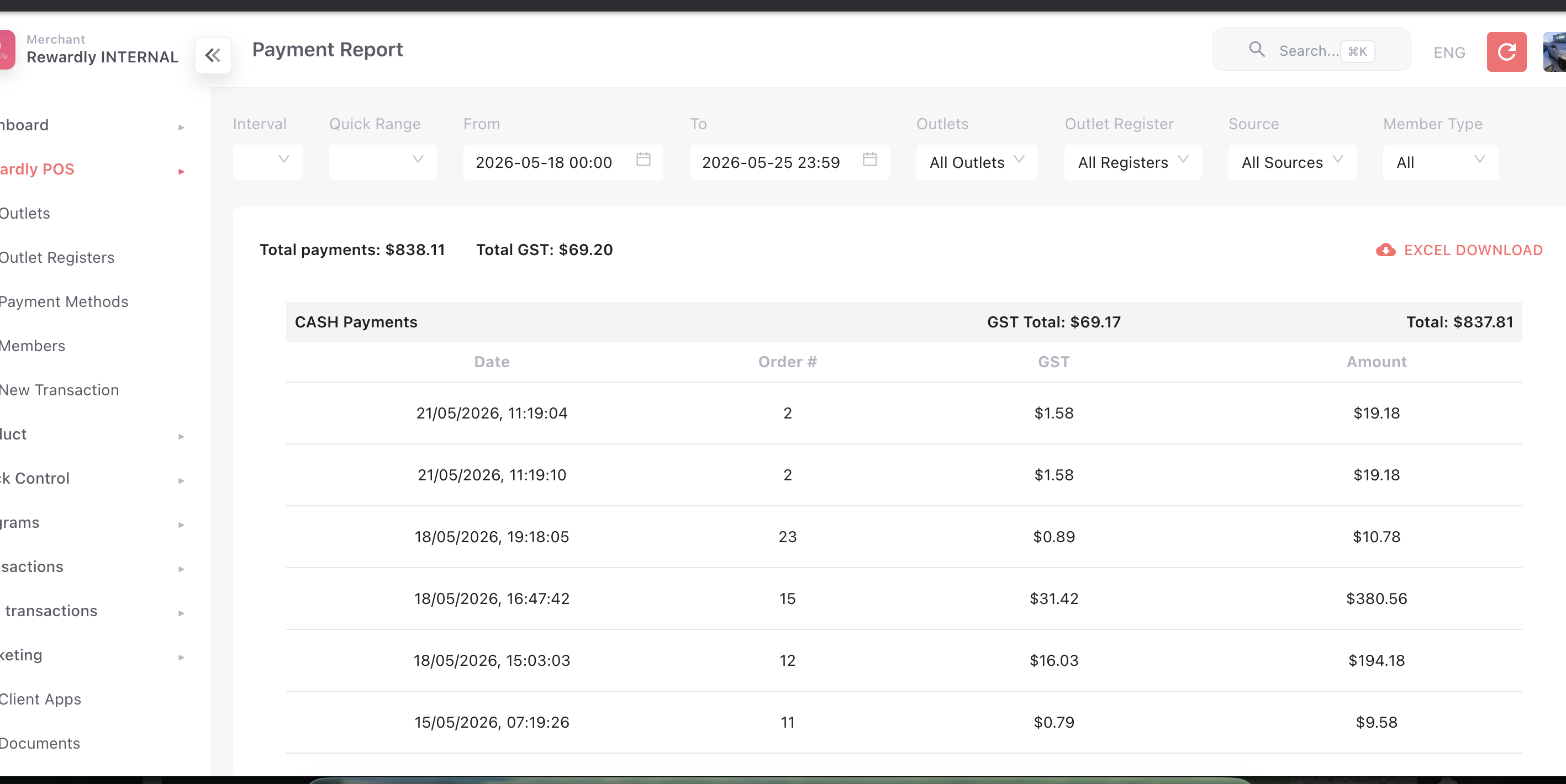
| Payment Report | Payments grouped by type (cash, card, points, store credit, …), with tax/GST and totals per group and overall. |
| PayNow Payout Report | Each PayNow transaction with its fees, so you can see your net payout (amount taken minus fees). |
| Manual PayNow Report | A reconciliation view for manually matched PayNow transfers. |
| Discount Report | Discounts and voucher discounts given, split into program discounts and manual ("open") discounts, with totals. |
How it works
All payment reports share the same filter bar:
- Date range — note a maximum of three months per report; a warning shows if you exceed it.
- Outlet and outlet register — narrow to one branch or till.
- Source — POS, kiosk, or online.
Each report can be exported to CSV or Excel for your accounting.
Default setup
There's nothing to set up — open a report, choose your date range and outlet, and read or export it. For best results, keep your payment methods clearly labelled so each tender groups cleanly in the Payment Report.
Related
- Payment Methods — the tenders that group these reports.
- QR & Digital Wallets — the PayNow payout report.
- Order Management — order-level detail.
- Stock Reports — the inventory side of reporting.