
Suppliers & Purchasing
Overview
Once you track ingredients, you need a way to restock them. That's what this area does: keep a list of your suppliers, raise stock orders (purchase orders) to them, and receive the goods when they arrive — which tops your ingredient stock back up.
How it works
- You add each supplier as a contact record.
- You raise a stock order to a supplier listing what you need.
- When the delivery arrives, you receive the order — fully or partially.
- Receiving the goods automatically increases your ingredient stock.
Receiving an order creates ingredient stock transactions through the same movement model used by manual adjustments and inventory counts. This keeps the received quantity, transaction ledger, and current inventory count aligned.
Default setup
Bean & Brew example: order more coffee beans from their roaster.
1. Add the supplier
In Stock Control → Suppliers (/suppliers), click Create and fill in:
- Name — e.g.
City Roasters - Code — a short code for the supplier (required)
- Email, Phone — optional contact details
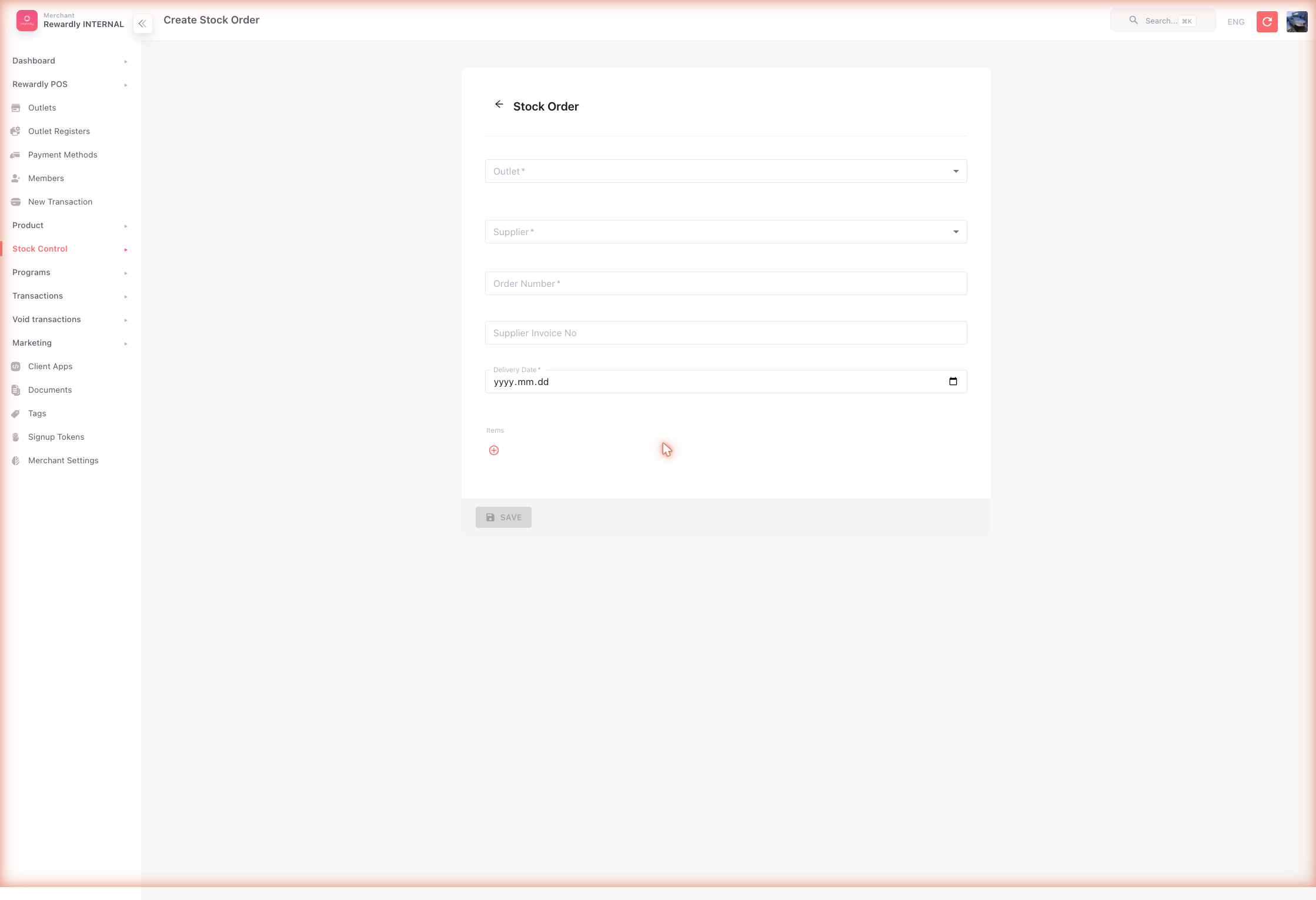
2. Raise a stock order
In Stock Control → Stock Orders (/ingredient-orders), click Create:
- Outlet — the branch receiving the goods
- Supplier —
City Roasters(only that supplier's ingredients can be added) - Order No and Delivery date
- Items — add a row per item with the quantity and unit price. Line type sets whether a row is an Ingredient or a Product
3. Receive the delivery
When the goods arrive, open the order and click Receive order. Enter the quantity that actually arrived for each item and confirm. Your ingredient stock goes up.
Rewardly blocks receiving more than the remaining ordered quantity for a line. If only some items arrive, receive the partial quantity and leave the order partially received until the rest arrives.
Advanced options
| Feature | What it does |
|---|---|
| Partial receiving | Receive part of an order now and the rest later — the order shows as partially received until complete. |
| Supplier invoice no. | Record the supplier's invoice number against the order. |
| Per-line tax | Set Has tax and a tax rate on each order line. |
| Product lines | A stock order can list products as well as ingredients. Receiving a product line raises that product's stock, unless the product doesn't track quantity — the form marks those Not tracked — stock won't change. |
| Order status | Orders created in the admin start as Confirmed. Receiving moves an order to Partial Received until every line has arrived, then to Received. Received, partially received and cancelled orders can no longer be edited. |
| Manual ingredient transactions | In Stock Control → Ingredient Transactions (/ingredient-transactions), log stock changes that aren't sales or orders — waste, expiry, damage, transfers between outlets, or a stock-take. |
The Ingredient Transactions screen is also a full ledger: every ingredient movement, the stock before and after, the reason, and who recorded it.
For implementation details, see Ingredient Stock Architecture.
Stock Settings
Stock Control → Stock Settings (/stock-settings) holds one setting, under Cost of goods sold: the price used to cost each sale.
| Option | What it means |
|---|---|
| Average purchase price | Each stock order received is averaged with the stock already on hand. Margins stay steady when prices move. |
| Latest purchase price | The price on the most recent stock order received. Margins follow price changes straight away. |
A change applies to sales from then on; sales already recorded keep their cost. A product that doesn't track quantity keeps no running average, so it uses its latest price either way, and products with ingredient bundles are costed from their ingredients' prices.
A merchant admin can change the setting. An accountant can see it but not change it.
Related
- Ingredients & Recipes — what stock orders restock.
- Ingredient Stock Architecture — how stock movements are validated and recorded.
- Stock Reports — order history and ingredient movements.