
Payment Methods
Overview
Payment methods are the ways your customers can pay. Each one you set up appears as a tile on the POS payment screen. This is also where you switch on paying with loyalty points and store credit.
Open Payment Methods (/payment-methods) in the sidebar to manage them.
Default setup
Bean & Brew example: accept Cash, plus let members pay with points and store credit.
Create one payment method for each:
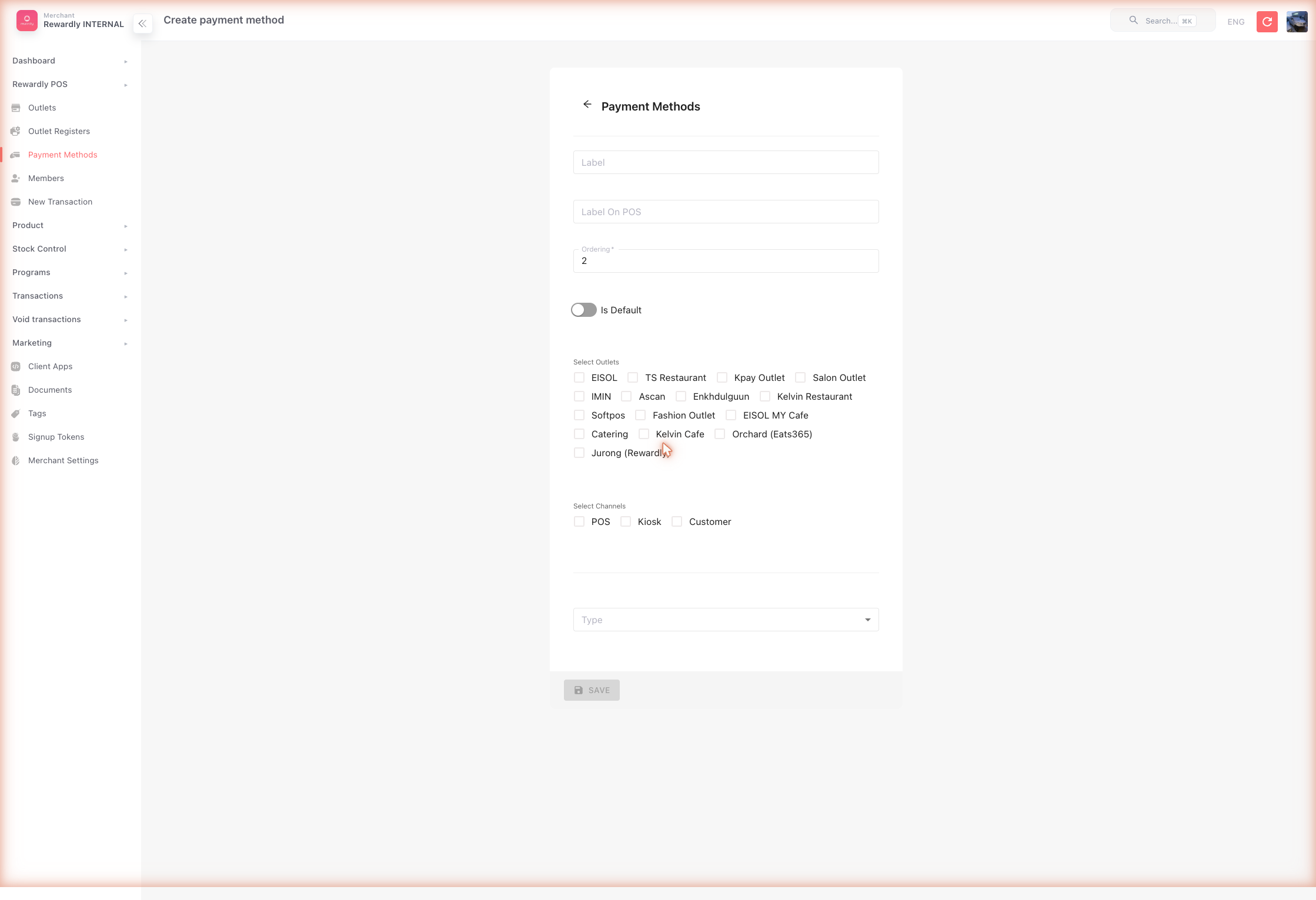
- In the sidebar open Payment Methods, then click Create.
- For Cash: set Label to
Cash, choose the TypeCash, tick the POS channel, set an Order number, and Save. - Repeat for Type
Loyalty(label itPoints) and TypeStore Value(label itStore Credit).
 Your POS payment screen now shows Cash, Points, and Store Credit tiles.
All fields
| Field | What it does |
|---|---|
| Label | The payment method's name in the admin and member app. |
| Label On POS | The name shown on the POS tile (can differ from Label). |
| Order | The tile's position on the payment screen. Must be unique. |
| Is Default | Pre-selects this method on the payment screen. |
| Outlets | Which outlets offer this method. |
| Channels | Where it is available — POS, Kiosk, Customer. |
| Outlet Register | (Kiosk channel) The register the kiosk method is tied to. |
| Type | The kind of payment — see below. |
A couple of field behaviors worth knowing:
- Order must be unique. When you create a method, the form auto-suggests the next free Order number. You can change it, but no two methods may share the same Order.
- Kiosk channel reveals Outlet Register. Tick the Kiosk channel and an Outlet Register selector appears. Pick the register to tie this kiosk method to a specific kiosk till. The selector only shows for the Kiosk channel.
Payment method types
You can set these up yourself
| Type | What it is |
|---|---|
| Cash | Cash payment. |
| Loyalty | Lets members pay with loyalty points. |
| Store Value | Lets members pay with store credit. |
| Custom | A custom method that posts to an endpoint you provide (with an optional fixed amount and payload). |
| Manual PayNow | A manually confirmed PayNow payment. |
You can set up exactly these five yourself
Unless you are a Rewardly staff superAdmin, the Type dropdown lets you create only Cash, Loyalty, Store Value, Custom, and Manual PayNow. All other types — Adyen, Stripe, FIUU, PayNow, Airwallex, DCS, DCS Wallet, X800, KPay, T05, and TapToPay — are set up by the Rewardly team (see below).
Custom type config
When you choose Type Custom, an extra config block appears. Use it to post the payment to your own endpoint:
| Field | What it does |
|---|---|
| Endpoint URL | The URL the POS calls when this method is used. It is validated, so it must be a well-formed URL. |
| Fixed Amount | (Optional) A fixed amount to charge for this method, instead of the basket total. |
| Payload | A JSON editor for the body sent to your endpoint. |
Keep the payload valid
Payload is a JSON editor — make sure the JSON is well-formed and only contains fields your endpoint expects. A malformed payload will fail at checkout.
Card terminals and gateways
Integrated card and gateway payments — Adyen, Stripe, FIUU, PayNow, Airwallex, DCS, KPay, T05, and others — require gateway credentials and are set up by the Rewardly team. If you need one of these, contact Rewardly support; once it's enabled it appears as a Type option here.
Points and store credit need a payment method
Even though Redeem loyalty point at POS is switched on in Merchant Settings, members can only pay with points or store credit at the POS if a Loyalty and a Store Value payment method exist.
Related
- PaymentOS Overview — all the ways to take payment.
- Card & Terminal Payments · QR & Digital Wallets — gateway-based methods.
- Loyalty Points — enabled as a payment method here.
- Store Credit — enabled as a payment method here.
- At the Counter — how payment methods appear during a sale.