
Post-Pay Credit
Overview
Post-pay credit is a buy-now-pay-later credit line you extend to a trusted member. With it, a member can complete a sale even when their store credit balance is too low — the shortfall is drawn from their credit limit, and they settle the outstanding balance later.
It's granted per member, and it's an optional, advanced feature.
How it works
- You give a member a credit limit — the most they can owe at once.
- At the POS, when they pay with Store Value and their balance falls short, the difference is automatically drawn from their available credit.
- Their outstanding balance rises by that amount.
- Later, the member repays, and you record the payment — their outstanding balance falls again.
Post-pay credit is not a separate payment button. It works through the Store Value tender — the POS simply lets the member pay past their balance, up to their available credit, and shows "+ $X post-pay credit" in the payment modal.
Allow negative store credit must be on
Post-pay credit relies on Allow negative store credit in Merchant Settings. Review the negative-balance limits and reminders there before enabling it for members.
Default setup
Post-pay credit is a lending feature — set it up deliberately, member by member:
- Decide which members you trust with a credit line.
- Grant a credit limit to a member from the POS Concierge desk — see Granting credit at the POS below.
- The member can now pay short at checkout, drawing on their credit.
- When they pay you back, record the repayment so their balance clears.
Monitoring it
Two reports keep you in control:
| Report | What it shows |
|---|---|
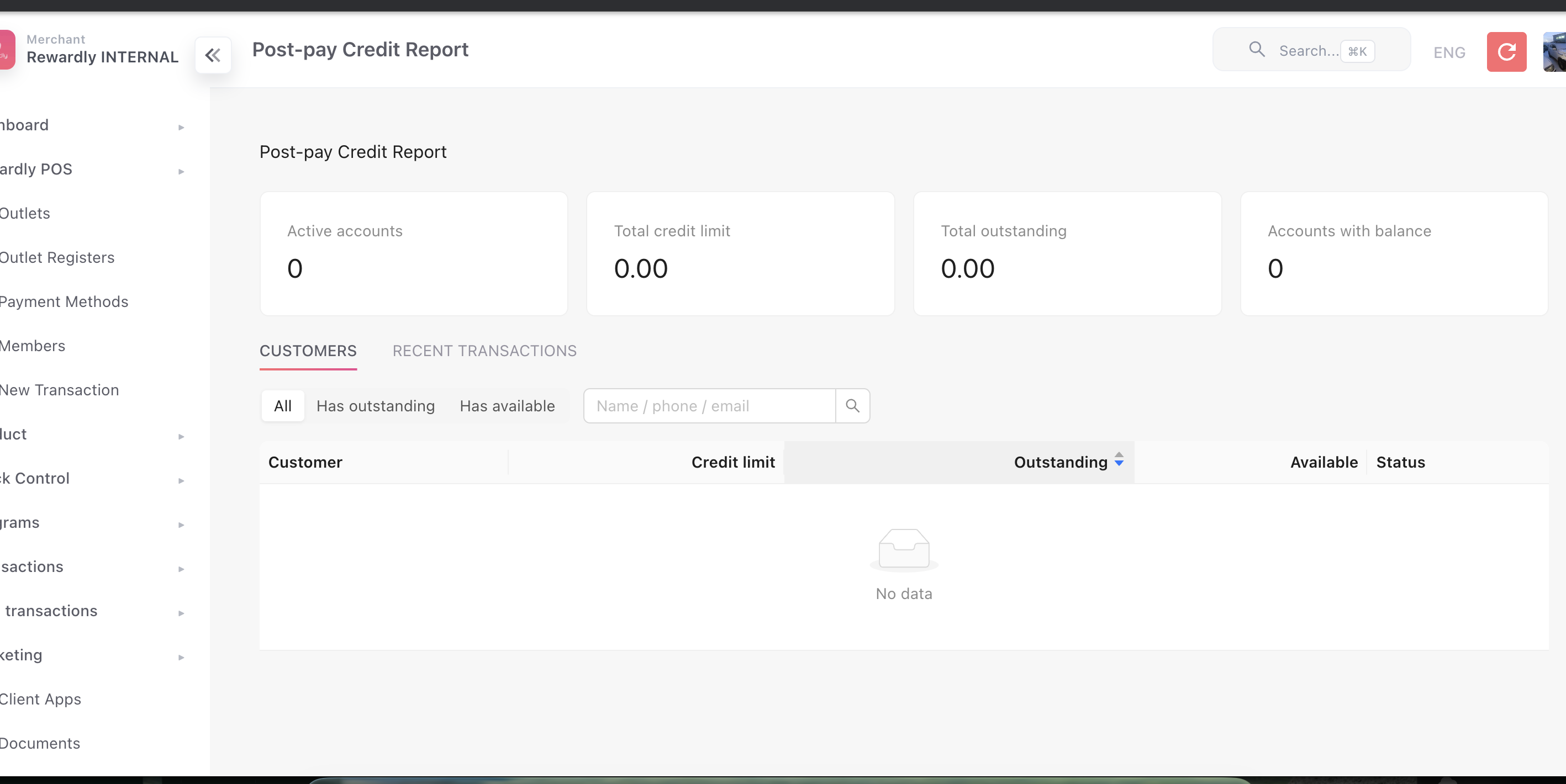
| Post-Pay Credit Report | Every credit account — total limits, total outstanding, who has a balance — plus recent credit transactions. |
| Credit Statement | A printable per-member statement for a date range: opening and closing balance, charges, and payments. |
Both are under the Reports menu in the admin.
Granting credit at the POS
You grant and manage a member's credit line from the POS Concierge desk — the loyalty service desk available on a concierge-enabled register or to staff with the conciergeService role. See Concierge for the full desk.
- Open the Concierge desk and look up the customer (search or scan).
- On their profile, tap the Post-pay Credit tile. It only appears when credit allocation is enabled for that member.
- The Post-pay credit modal opens, showing the member's credit limit, outstanding balance and available credit.
The modal has two tabs:
| Tab | What it does |
|---|---|
| Manage limit | Sets how much the member may owe at once. Tap + Issue to raise the limit or − Deduct to lower it, enter the amount, then Confirm. |
| Record payment | Records a repayment, clearing part of the outstanding balance. Enter the amount, pick cash, card or transfer, then Confirm. |
Both tabs take an optional note.
What you'll see in the transaction history
Below the tabs the modal lists the member's credit transactions, labelled Limit issue, Limit deduct, Payment, Purchase and Void. The first three are the entries you post yourself. Purchase (credit drawn at checkout) and Void (a reversed transaction) are recorded by Rewardly automatically — they aren't actions you can pick.
At checkout there is no separate post-pay button. The cashier taps Store Value as usual — the member's available credit is shown on top of their store-value balance, and the two added together become the most that tender can take. A customer must be selected. See Payments for how tenders work at the till.
Granting lives at the POS for now
The equivalent per-member credit section in the admin member profile is currently disabled — granting is done at the POS today. Reporting still lives in the admin, via the Post-Pay Credit and Credit Statement reports (see Dashboard & reports).
Related
- Store Credit — post-pay credit extends the store-value balance.
- Merchant Settings — negative-balance limits and reminders.
- At the Counter — paying with store credit and post-pay.
- Concierge — the loyalty desk where you grant a credit limit.
- Payments — paying with the Store Value tender at checkout.