
Modifier Inventory
Overview
Modifiers are the add-ons and options on a product — an extra shot, oat milk, a choice of sauce. Modifier Inventory lets a modifier carry its own stock count, so an add-on can sell out independently of the product it belongs to.
For example, your coffee never runs out, but oat milk might — modifier inventory handles exactly that.
How it works
- Modifier stock is kept on master modifier values — the shared catalog of add-on options. That is the only place a modifier can carry a count.
- A product's own modifier option holds no stock. Until you link it to a master modifier value it is never tracked and never sells out.
- When a sale includes a linked modifier, the master value's count goes down.
- At zero or below, the modifier shows as sold out and can't be added.
- Stock can be a single shared count, or set per outlet.
Master modifier values
A master modifier value is a reusable modifier option held in a central catalog, so the same add-on (e.g. Oat Milk) can be shared across many products instead of re-typed on each one. It is where the add-on's stock count is held, and switching it off turns the option off on every product that links to it. Each product's option keeps its own name, price and picture, though: renaming the master value does not rename the option on products that already use it. Edit the option on each product to rename it.
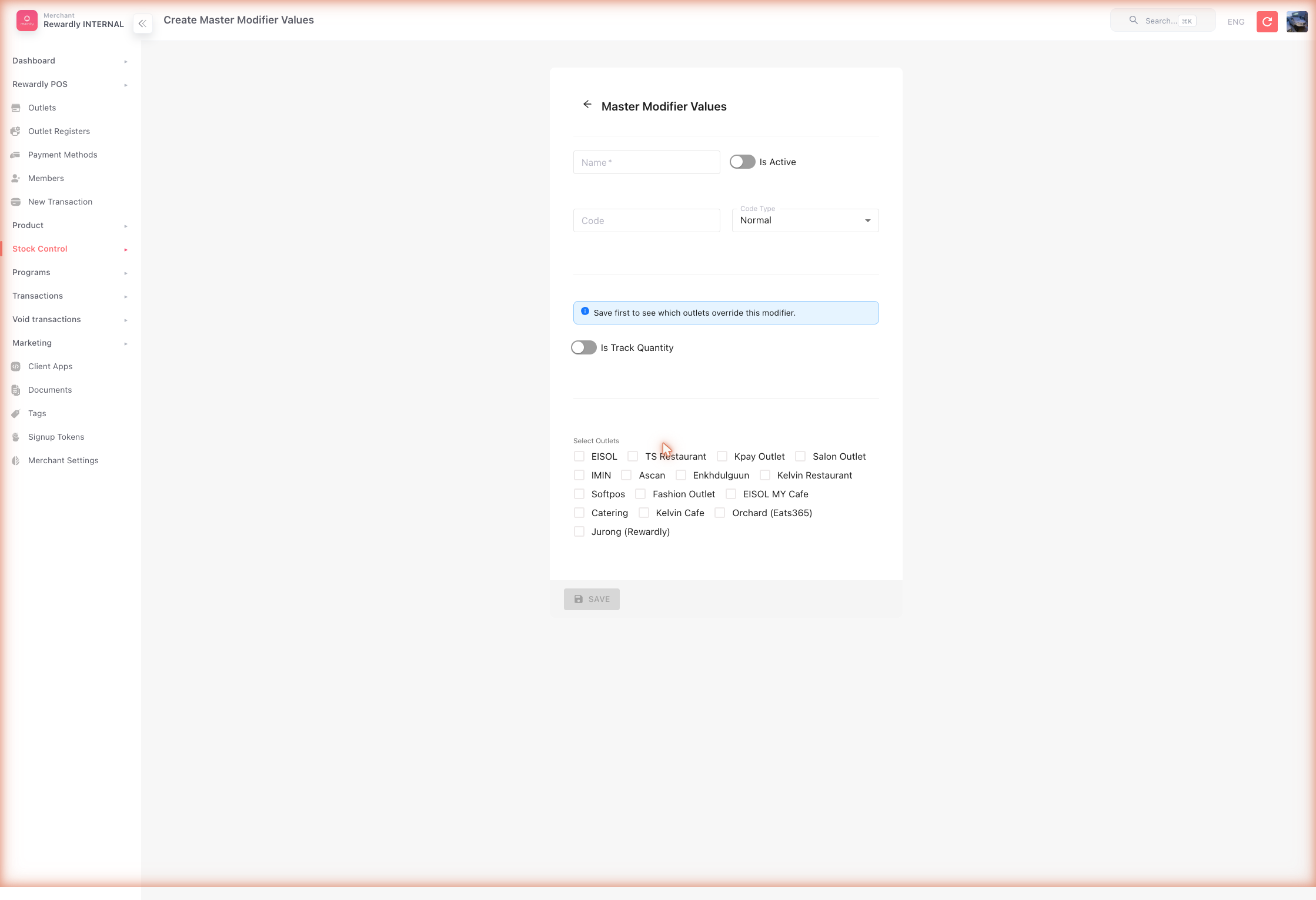
Open Stock Control → Master Modifier Values (/master-modifier-values) to manage the catalog. Each entry is created and edited through its own form, and the list includes a bulk assign products action that opens a screen where you attach one master modifier value to many products at once. Options in a group that comes from a Modifier Template are skipped there — set their master modifier in the template.
Default setup
Bean & Brew example: track oat milk so it can sell out without affecting coffee.
- Open Stock Control → Master Modifier Values and create or edit the value (e.g.
Oat Milk). - Turn on Is Track Quantity.
- Set Remaining Quantity to your current count.
- Save.
- Open the product editor, find the modifier group, and link the option to that Master Modifier Value (or to an Ingredient Bundle for recipe-based deduction).
Link the option, or nothing is tracked
Step 5 is what connects the two. Skip it and the option keeps selling without ever reducing a count.
Per-outlet stock and history
| Screen | What it does |
|---|---|
Stock Control → Modifier Inventory (/master-modifier-inventory) | Per-outlet stock for each master modifier value, so an outlet can override the shared count (the entry uses inventory control type modifier). |
Stock Control → Modifier Inventory Transactions (/modifier-inventory-transactions) | A read-only history of every modifier stock movement. |
Advanced options
Two more fields on the Master Modifier Values form:
| Field / feature | What it does |
|---|---|
| Allow return modifier inventory on void | A voided sale returns the modifier stock. |
| Code / Code type | A scan code for the modifier (Normal or Machine QR). |
Related
- Inventory — the same idea for whole products.
- Products & Categories — where modifiers are attached to products.
- Stock Reports — reviewing modifier stock history.