
Delivery
Overview
Rewardly handles two kinds of delivery:
- Your own delivery — you deliver yourself, or through a courier service.
- Aggregator platforms — orders that come in from Grab, Foodpanda, Deliveroo, Keeta, or Eats365.
Pickup (takeout) is configured right alongside delivery on the same outlet tab.
How it works
Delivery is set up per outlet, on the Order tab. Once Allow Delivery is on, you choose a delivery provider and define your delivery area, fees, and hours. Aggregator orders, by contrast, arrive automatically once the integration is connected and your products are made visible on that platform.
Default setup
Bean & Brew example: offer their own delivery within a few kilometres.
- Open Outlets, edit your outlet, and go to the Order tab.
- Open Delivery Settings and turn on Allow Delivery.
- Set the delivery distance and your delivery hours.
- Set the delivery provider to Self.
- Add delivery fee ranges — a fee and minimum order amount per distance band.
- Save.
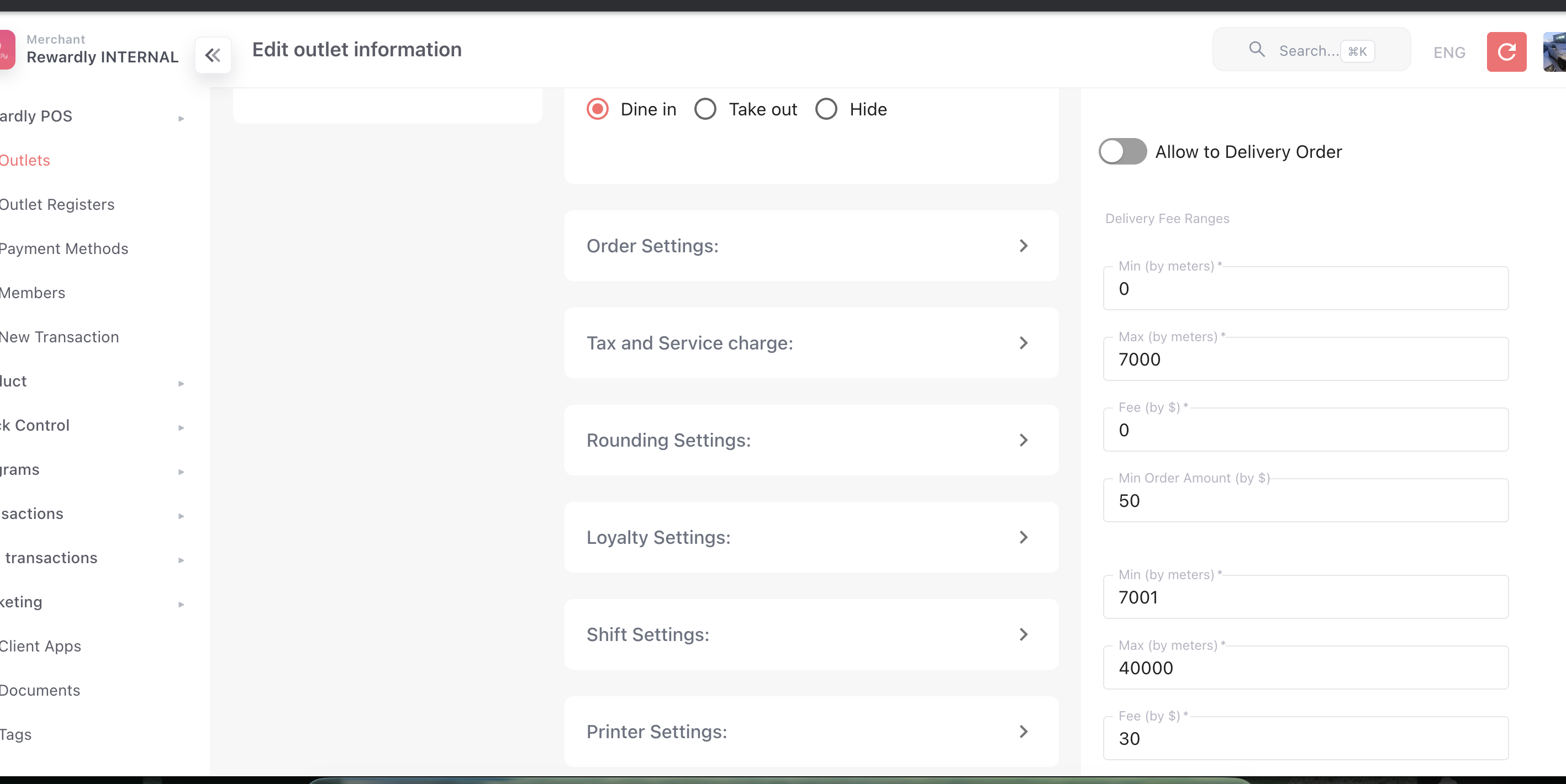 For pickup, open Pickup Settings on the same tab and turn on Allow to Pickup.
Advanced options
Your own delivery
| Setting | What it does |
|---|---|
| Lalamove provider | Hand delivery off to the Lalamove courier service instead of doing it yourself. |
| Time-slot discounts | Discounts for ordering in certain time windows. |
| Order-amount discounts | Discounts for larger orders. |
| Membership discounts | Delivery discounts for specific membership tiers. |
Aggregator platforms
| Platform | How to connect |
|---|---|
| Grab / Foodpanda / Deliveroo / Keeta | Make a product available on a platform with its Visible on setting in the product form. |
| Eats365 | Enable Eats365 on the outlet's Settings tab, including menu-sync options. |
| Shopify / Vend | Connected on the outlet's Settings tab. |
All delivery and aggregator orders land together in Order Management.
Related
- Order Management — where delivery orders appear.
- Products & Categories — the Visible on channel setting.
- Outlet Settings — Delivery and Pickup settings.